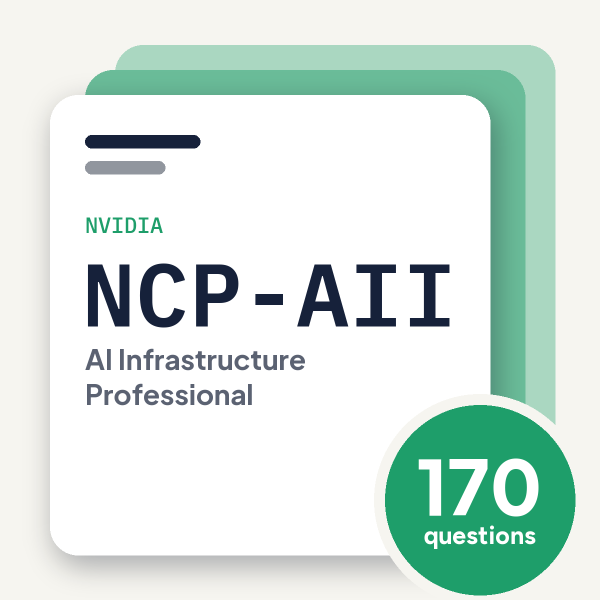
NVIDIA · NCP-AII

NVIDIA NCP-AII Exam Practice Questions

170 questionsPDF by emailUpdated September 2026

US$39

Try 10 questions free

Card, Apple Pay or Google Pay. Your PDF is sent by email as soon as you check out.

Pass or your money backFail the exam after using this pack and we refund it. How the guarantee works
Category:
TRY BEFORE YOU BUY

Three of the 170 questions in this pack

Question 1

A system engineer needs to set the vGPU scheduling behavior for all GPUs to share the scheduling equally with the default time slice length.

What command should be used?

  1. esxcli system module parameters set -m nvidia -p “NVreg_RegistryDwords=RmPVMRL=0x00”
  2. esxcli system module parameters set -m nvidia -p “NVreg_RegistryDwords=RmPVMRL=0x@1"
  3. esxcli graphics module parameters set -m nvidia -p “NVreg_RegistryDwords=RmPVMRL=0x01”
  4. esxcli system module parameters set -m nvidia -p “NVreg_RegistryDwords=FRL=@x01”
Show answer and explanation

Correct answer: A. esxcli system module parameters set -m nvidia -p “NVreg_RegistryDwords=RmPVMRL=0x00”

“NVreg_RegistryDwords=RmPVMRL=0x00” The correct command uses esxcli system module parameters set with the nvidia module and sets RmPVMRL=0x00 to enable equal GPU scheduling with default time slices. Option A has the correct syntax, module target, and parameter value for this configuration.

Why the other options are wrong

  • B. Uses invalid hex notation @1 instead of proper 0x01 format
  • C. Incorrectly targets graphics module instead of system module
  • D. Uses malformed parameter name FRL with invalid hex notation @x01

Question 2

During a multi-day NeMo burn-in, intermittent “GPU fell off bus” errors occur.

Which diagnostic approach isolates hardware faults?

  1. Run DCGM diagnostics alongside burn-in to monitor GPU health metrics
  2. Switch from BERT to GPT models for simpler computations
  3. Enable HPL_USE_NVSHMEM for alternative memory sharing
  4. Reduce blocksize to 500MB to lower memory pressure
Show answer and explanation

Correct answer: A. Run DCGM diagnostics alongside burn-in to monitor GPU health metrics

GPU health metrics Running DCGM diagnostics alongside burn-in testing provides comprehensive GPU health monitoring and can isolate hardware faults from software issues by tracking thermal, power, and reliability metrics in real-time during stress testing.

Why the other options are wrong

  • B. Changing model type does not isolate hardware faults; it merely shifts the workload
  • C. Enabling NVSHMEM is a memory optimization, not a diagnostic approach
  • D. Reducing blocksize masks symptoms but does not identify underlying hardware problems

Question 3

An engineer needs to verify the current firmware versions of all components (ATF, BSP, NIC, UEFI) on a BlueField-3 DPU’s BMC.

Which Redfish API command provides this information?

  1. mstflint –d <PCI_ID> query full
  2. curl –k –u root:<password> –X GET https://<DPU-BMC-IP>/redfish/v1/UpdateService/FirmwareList
  3. curl –k –u root:<password> –X GET https://<DPU-BMC-IP>/redfish/v1/UpdateService/FirmwareInventory
  4. mlxconfig –d <dev> q
Show answer and explanation

Correct answer: C. curl –k –u root:<password> –X GET https://<DPU-BMC-IP>/redfish/v1/UpdateService/FirmwareInventory

BMC-IP>/redfish/v1/UpdateService/FirmwareInventory The Redfish API endpoint /redfish/v1/UpdateService/FirmwareInventory is the standard interface for querying all firmware component versions on a BlueField-3 DPU's BMC, including ATF, BSP, NIC, and UEFI.

Why the other options are wrong

  • A. mstflint queries firmware via Mellanox tools, not the BMC Redfish API
  • B. FirmwareList is not a valid Redfish endpoint for firmware inventory queries
  • D. mlxconfig queries device configuration parameters, not BMC firmware versions

See all 10 free questions Get the full pack, US$39

170 practice questions for NVIDIA AI Infrastructure Professional (NCP-AII), with full explanations.

Every question comes with the correct answer, the reasoning behind it, and a short note on why each wrong option is wrong. Work through it once with the answers, then again with the questions-only copy under exam conditions.

  • 170 questions mapped to the NCP-AII exam blueprint, across all five domains
  • Answers and explanations for every question, including why each wrong option is wrong
  • A questions-only PDF for timed practice runs
  • Instant delivery by email the moment you check out
  • Free monthly updates for as long as the exam is live
  • Pass or your money back

An NCP-AII attempt costs US$400. This pack is US$39, paid once.

Try 10 questions free before you buy.

Last updated September 2026 · 170 questions

What makes the NCP-AII hard

NCP-AII is the hands-on infrastructure exam in NVIDIA’s professional tier: 70 to 75 questions in 120 minutes about standing up a GPU cluster from the crate to the first benchmark. It follows the deployment sequence rather than a topic list, and candidates who pass say the exam cares about the order you do things in, and about what the validation numbers should look like when the cluster is healthy.

Cluster Test and Verification is the biggest domain at 33%: full cluster validation with HPL and NCCL, NVLink and fabric bandwidth tests, cable and firmware checks, and burn-in using HPL, NCCL and NeMo, plus DCGM diagnostics and what a failing result means. System and Server Bring-up follows at 31%, covering AI factory designs and topologies, DGX H100, HGX and GB200 NVL72 reference designs, the physical build with cables and transceivers, GPU and NVSwitch firmware management, BIOS settings, BMC and Redfish, and DGX OS image deployment.

Control Plane Installation and Configuration is 19%, covering Base Command Manager, the operating system, Slurm with Enroot and Pyxis, Kubernetes with the GPU Operator, NVIDIA GPU and DOCA drivers, the Container Toolkit and the NGC CLI. Troubleshoot and Optimize is 12%, and Physical Layer Management, covering the BlueField network platform and Multi-Instance GPU partitioning, is 5%. HGX firmware upgrade order and the bring-up sequence are the questions most people report getting wrong.

About the exam

NCP-AII (NVIDIA-Certified Professional: AI Infrastructure) is an intermediate-level certification validating the ability to deploy, configure, test and optimise NVIDIA AI infrastructure: server bring-up, physical layer management, control plane installation, cluster test and verification, and troubleshooting and optimisation. NVIDIA recommends hands-on experience deploying NVIDIA GPU clusters.

Exam domains

  • System and Server Bring-up: 31%
  • Physical Layer Management: 5%
  • Control Plane Installation and Configuration: 19%
  • Cluster Test and Verification: 33%
  • Troubleshoot and Optimize: 12%

70 to 75 questions, 120 minutes, US$400 per attempt, online remote proctored through Certiverse. NVIDIA does not publish a passing score for this exam. Certification valid for two years.
Reviews

There are no reviews yet.

Only logged in customers who have purchased this product may leave a review.

Questions before you buy

What do I get when I buy the NVIDIA NCP-AII pack?

170 practice questions as a PDF, each with the correct answer, a full explanation and a note on why the other options are wrong, plus a separate questions-only PDF for timed practice.

How quickly do I receive it?

Your PDF is prepared and sent to your email address after checkout, and you get a confirmation as soon as it is on its way.

Is there a free sample?

Yes. Ten questions from this pack, with answers and explanations, are free on this page and as a PDF, so you can judge the quality before you pay.

Are updates included?

Yes. The pack is updated every month for as long as the exam is live, and updates are free for everyone who has bought it.

What if I fail the exam?

We refund the pack. Sit the exam 7 to 30 days after buying, then send your official score report within 7 days of the exam date, as set out in the refund policy.

Can I share it with colleagues?

Each purchase is licensed to one person. For a team, school or training organisation, email support@certstash.com for a licence that fits.